Understanding REST APIs: A Comprehensive Guide
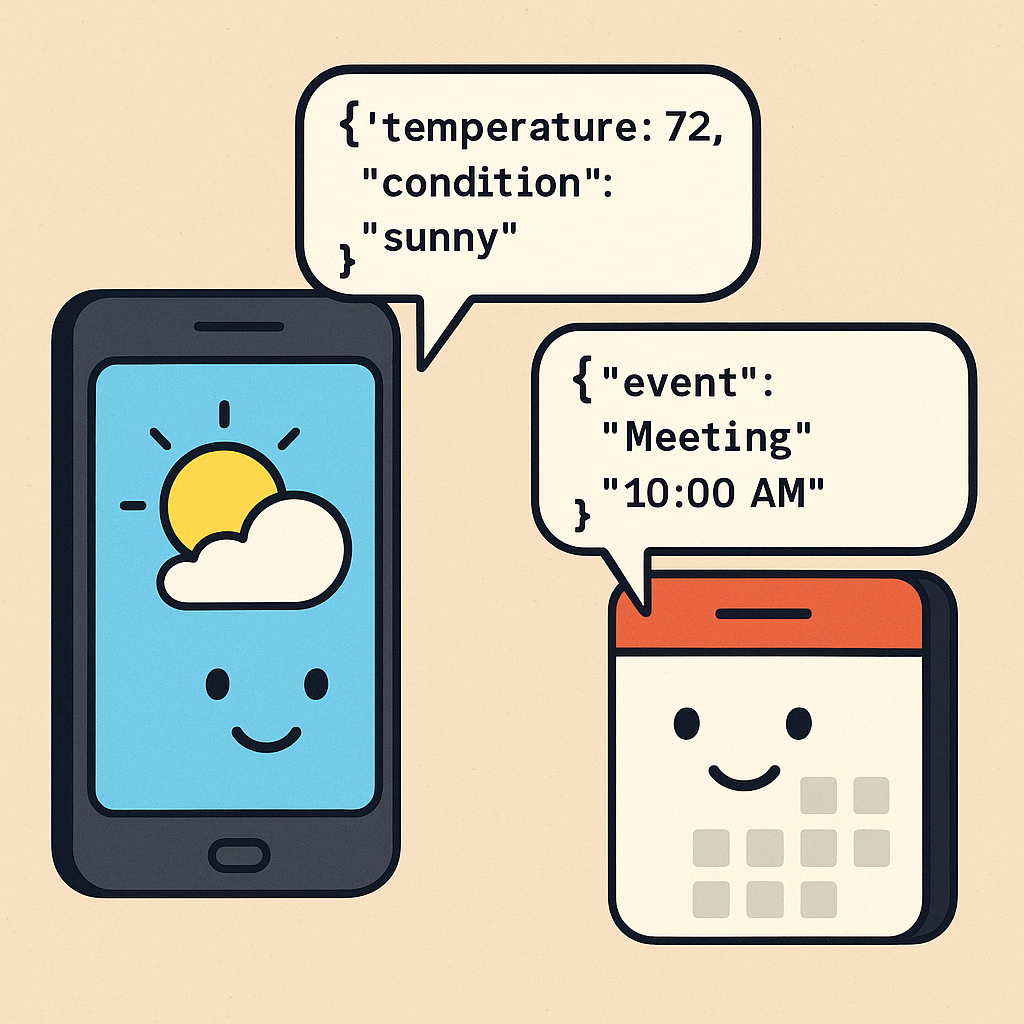
REST APIs are everywhere. Whether you are building a mobile app, a web dashboard, or a backend system that needs to talk to other services, chances are you are using one already. They are like the invisible wires that connect systems across the internet, helping them exchange data in a clean and consistent way. In this post, we will take a closer look at what REST APIs are, how they work, and why they became such an important part of modern software development.
A Quick Look at the History of REST:
The term REST stands for Representational State Transfer. It was introduced by Roy Fielding in his doctoral dissertation in 2000 as a way to define architectural principles for building scalable and reliable web systems. Fielding was also one of the key contributors to the HTTP protocol, so he had deep insight into how the web should work. REST was designed to make systems easy to evolve, easy to cache, and easy to understand by relying on standard HTTP methods like GET, POST, PUT, and DELETE. Over the next several years, REST APIs became the default choice for web services, especially as developers looked for lighter alternatives to older protocols like SOAP.
Key Properties of REST
- Stateless: Each request from a client to a server must contain all the information needed to process it. The server does not store client state between requests.
- Client-Server: The architecture separates the client (frontend) from the server (backend), enabling independent evolution of each.
- Cacheable: Responses can be cached to improve performance, provided the server indicates cacheability.
- Layered System: The architecture can be composed of multiple layers, with each layer providing specific functionality, such as load balancing or security.
- Uniform Interface: REST APIs follow a standardized set of conventions, including resource identification (URIs), manipulation through representations, self-descriptive messages, and hypermedia (HATEOAS).
- Resource-Based: Everything in a REST API is a resource (e.g., users, orders), identified by a unique URI.
What is HATEOAS?
HATEOAS (Hypermedia as the Engine of Application State) is a constraint of REST that emphasizes including hypermedia links in API responses to guide clients through available actions and resources. With HATEOAS, a client can navigate the API dynamically by following links provided in the response, rather than hardcoding endpoints. This makes APIs more discoverable and self-documenting.
HATEOAS Use Case
Consider a booking system where a client retrieves a user’s reservation:
- Request:
GET /reservations/456 - Response:
{
  "reservation": {
    "id": 456,
    "date": "2025-06-01",
    "status": "confirmed"
  },
  "links": [
    { "rel": "self", "href": "/reservations/456" },
    { "rel": "cancel", "href": "/reservations/456/cancel", "method": "POST" },
    { "rel": "update", "href": "/reservations/456", "method": "PUT" }
  ]
}
In this example, the response includes links to cancel or update the reservation. The client can follow these links to perform actions without needing prior knowledge of the API’s structure. This is particularly useful in dynamic systems like travel booking platforms, where available actions (e.g., cancel, modify) depend on the resource’s state.
Pros and Cons of REST APIs
Pros
- Scalability: Statelessness and caching make REST APIs highly scalable.
- Flexibility: Supports multiple data formats (JSON, XML, etc.) and integrates with various clients.
- Ease of Use: Uses standard HTTP methods, making it intuitive for developers.
- Interoperability: Works across different platforms and languages.
- Maintainability: The separation of client and server simplifies updates and maintenance.
Cons
- Overfetching/Underfetching: Clients may receive too much or too little data, requiring multiple requests.
- No Real-Time Support: REST is not ideal for real-time applications like chat apps, where WebSockets are better suited.
- Complexity in HATEOAS: Implementing hypermedia can be complex and is often underutilized.
- Statelessness Overhead: Each request must include all necessary data, which can increase payload size.
Real-Time Use Case
E-commerce Platform: Consider an e-commerce application like Amazon. A REST API can manage various resources, such as products, users, and orders. For example:
- GET /products: Retrieves a list of products.
- GET /products/{id}: Fetches details of a specific product.
- POST /orders: Creates a new order for a user.
- PUT /users/{id}: Updates user profile information.
- DELETE /cart/{itemId}: Removes an item from the cart.
This API allows the frontend (web or mobile app) to interact with the backend, enabling users to browse products, place orders, and manage their accounts. The stateless nature ensures that the system can handle millions of users by scaling horizontally with load balancers.
HTTP Methods and Examples
REST APIs use standard HTTP methods to perform CRUD (Create, Read, Update, Delete) operations. Below are the common methods, their purposes, and examples.
-
GET: Retrieves a resource or a list of resources.
- Example:
GET /users- Response:
200 OKwith a JSON array of users. - When to Use: Fetch data without modifying it, e.g., retrieving a product catalog.
- Response:
- Example:
GET /users/123- Response:
200 OKwith user details or404 Not Foundif the user doesn’t exist.
- Response:
- Example:
-
POST: Creates a new resource.
- Example:
POST /users- Request Body:
{ "name": "John Doe", "email": "john@example.com" } - Response:
201 Createdwith the new user’s ID or400 Bad Requestif the input is invalid. - When to Use: Create new entities, like adding a user or submitting an order.
- Request Body:
- Example:
-
PUT: Updates an existing resource or creates it if it doesn’t exist (idempotent).
- Example:
PUT /users/123- Request Body:
{ "name": "Jane Doe", "email": "jane@example.com" } - Response:
200 OKor204 No Contenton success,404 Not Foundif the user doesn’t exist. - When to Use: Update a resource fully, e.g., updating a user’s profile.
- Request Body:
- Example:
-
PATCH: Partially updates a resource.
- Example:
PATCH /users/123- Request Body:
{ "email": "newemail@example.com" } - Response:
200 OKor204 No Content. - When to Use: Update specific fields, e.g., changing a user’s email without affecting other fields.
- Request Body:
- Example:
-
DELETE: Removes a resource.
- Example:
DELETE /users/123- Response:
204 No Contenton success or404 Not Foundif the resource doesn’t exist. - When to Use: Delete resources, like removing a product from a cart.
- Response:
- Example:
Idempotency in REST APIs
Idempotency is a property of certain HTTP methods where multiple identical requests produce the same result as a single request. It is critical for reliability in distributed systems, where network failures might cause clients to retry requests. Below are key points about idempotency in REST APIs:
- GET: Idempotent, as it only retrieves data without modifying the server state. Multiple
GET /users/123calls return the same user data. - PUT: Idempotent, as it replaces the entire resource with the provided data. Sending
PUT /users/123multiple times with the same payload results in the same resource state. - PATCH: Not inherently idempotent, as partial updates may accumulate changes (e.g., incrementing a counter). However, PATCH can be designed to be idempotent by ensuring the update sets a specific value (e.g.,
PATCH /users/123with{ "email": "new@example.com" }always sets the same email). - DELETE: Idempotent, as deleting a resource multiple times results in the same state (resource is gone). Sending
DELETE /users/123repeatedly ensures the user is deleted. - POST: Typically not idempotent, as it may create multiple resources with each request (e.g., multiple
POST /userscalls create multiple users). Idempotency can be achieved with unique request identifiers. - Why It Matters: Idempotency ensures that retrying failed requests does not cause unintended side effects, improving reliability in distributed systems.
HTTP Response Codes
REST APIs use standard HTTP status codes to indicate the outcome of a request. Common codes include:
- 1xx Informational:
100 Continue: The server has received the request headers, and the client should proceed to send the body.101 Switching Protocols: The server is switching protocols as requested (e.g., upgrading to WebSocket).
- 2xx Success:
200 OK: Request succeeded (e.g., GET or PUT).201 Created: Resource created (e.g., POST).204 No Content: Request succeeded, no response body (e.g., DELETE).
- 3xx Redirection:
301 Moved Permanently: The resource has been permanently moved to a new URL.302 Found: The resource is temporarily available at a different URL.304 Not Modified: The resource has not changed since the last request (used with caching).
- 4xx Client Errors:
400 Bad Request: Invalid request syntax or parameters.401 Unauthorized: Authentication required or failed.403 Forbidden: Client lacks permission.404 Not Found: Resource not found.429 Too Many Requests: Rate limit exceeded.
- 5xx Server Errors:
500 Internal Server Error: Unexpected server issue.503 Service Unavailable: Server is temporarily down.
Best Practices for Creating REST API Endpoints
- Use Nouns for Resources: Endpoints should represent resources, not actions. Use
/usersinstead of/getUsers. - Follow HTTP Method Semantics: Use GET for reading, POST for creating, PUT/PATCH for updating, and DELETE for deleting.
- Use Plural Nouns: Prefer
/usersover/userfor consistency. - Version Your API: Include a version in the URL (e.g.,
/v1/users) to manage changes without breaking clients. - Use Query Parameters for Filtering/Sorting: E.g.,
GET /users?role=admin&sort=nameto filter admin users and sort by name. - Provide Clear Documentation: Use tools like OpenAPI/Swagger to document endpoints, parameters, and responses.
- Implement Pagination: For large datasets, use query parameters like
?page=2&limit=20. - Secure Your API: Use HTTPS, implement authentication (e.g., OAuth2, JWT), and validate inputs to prevent injection attacks.
- Use Meaningful Status Codes: Return appropriate HTTP codes to indicate success or failure.
- Support HATEOAS (Optional): Include links in responses to guide clients to related resources, e.g.,
{ "user": { "id": 123, "links": { "self": "/users/123", "orders": "/users/123/orders" } } }.
Confusing Scenarios and How to Create the Right Endpoint
-
Action vs. Resource:
- Confusion: Should you create
/sendEmailor/users/{id}/email? - Solution: Model actions as resources when possible. For sending an email, use
POST /emailswith a payload like{ "userId": 123, "subject": "Welcome" }. If the email is tied to a user, usePOST /users/123/emails. - Why: REST emphasizes resources, not actions. Avoid verb-based endpoints.
- Confusion: Should you create
-
Nested Resources vs. Flat Structure:
- Confusion: Should you use
/users/123/ordersor/orders?userId=123? - Solution: Use nested resources (
/users/123/orders) when the relationship is hierarchical and the child resource (orders) belongs to the parent (user). Use query parameters (/orders?userId=123) for filtering unrelated resources. - Why: Nested URLs clarify ownership, but over-nesting (e.g.,
/users/123/orders/456/items/789) can make URLs complex.
- Confusion: Should you use
-
PUT vs. PATCH:
- Confusion: When to use PUT or PATCH for updates?
- Solution: Use
PUTfor full resource updates, replacing the entire resource (e.g.,PUT /users/123with all fields). UsePATCHfor partial updates (e.g.,PATCH /users/123with only{ "email": "new@example.com" }). - Why: PUT is idempotent and requires the full resource, while PATCH is more flexible for partial changes.
-
Handling Bulk Operations:
- Confusion: How to handle bulk updates or deletes?
- Solution: Use a dedicated endpoint like
POST /users/bulkwith a payload containing multiple user IDs and updates, orDELETE /users/bulkwith a list of IDs. - Why: REST doesn’t natively support bulk operations, so a custom endpoint is a practical solution.
Common Mistakes People Make
- Ignoring HTTP Methods: Using
GETfor updates orPOSTfor retrieval violates REST principles. - Overcomplicated URLs: Creating deep nested endpoints like
/users/123/orders/456/items/789/reviewsmakes APIs hard to use. - Inconsistent Naming: Mixing singular and plural nouns (e.g.,
/userand/orders) confuses clients. - Poor Error Handling: Returning vague error messages or incorrect status codes (e.g.,
200 OKfor failures). - Lack of Versioning: Breaking changes without versioning can disrupt clients.
- Not Validating Inputs: Failing to sanitize inputs can lead to security vulnerabilities like SQL injection.
- Ignoring Rate Limiting: Allowing unlimited requests can overload the server.
- Overfetching/Underfetching: Returning too much or too little data forces clients to make multiple requests.
REST APIs have become a foundational tool for software engineers. They allow applications to communicate in a way that is platform-independent, scalable, and well-understood. Whether you are sending data from a frontend to a backend, integrating with third-party services, or building microservices, REST provides a flexible and standardized way to get the job done. While newer technologies like GraphQL and gRPC have emerged, REST remains a solid and widely adopted choice. Understanding how it works is not just useful—it is essential for any developer working in today’s connected world.